使用Realtime API进行上下文摘要:构建实时语音机器人
技术背景
实时语音交互是AI应用的重要方向,但长对话会迅速填满模型上下文窗口,导致性能下降和成本增加。OpenAI Realtime API支持语音到语音的流式交互,但上下文窗口有限(32k tokens),且音频token消耗远高于文本。因此,需要一种机制在对话过长时自动压缩历史,保留关键信息,同时维持对话连贯性。本教程通过上下文摘要解决此问题,适用于客服机器人、语言导师、会议助手等场景。
核心原理
核心原理是利用Realtime API的有状态会话,通过WebSocket持续交换音频和文本事件。系统捕获麦克风音频(PCM16, 24kHz),分块发送至API,同时接收转录文本和合成音频。对话历史存储在本地ConversationState中,当令牌数超过阈值时,调用轻量模型(如gpt-4o-mini)将早期对话总结为一段摘要,并以system消息插入对话顶部,同时删除被摘要的原始消息,从而压缩上下文。关键设计包括:使用system消息而非assistant消息存储摘要,避免模型误切换响应模式;异步处理摘要,不阻塞对话;监控response.done中的usage.total_tokens触发摘要。
架构分析
系统分为三层:音频采集层(sounddevice捕获麦克风)、通信层(WebSocket与Realtime API交互)、状态管理层(ConversationState维护对话历史)。音频流经asyncio.Queue异步传递,避免阻塞。事件驱动架构处理服务器推送的各类事件(如conversation.item.created、response.audio.delta等)。摘要模块独立运行,通过后台任务触发,确保对话流畅。设计上强调可扩展性,可调整摘要触发阈值、保留轮数等参数。
完整实战教程
1. 概述
构建一个端到端的语音机器人,它可以监听你的麦克风,实时回话,并总结长对话,确保质量不下降。
你将学到什么
- 实时麦克风流式传输 → OpenAI *Realtime*(语音到语音)端点。
- 即时转录和语音播放,在每一轮对话中。
- 对话状态容器,存储每一条用户/助手消息。
- 自动“上下文修剪” – 当令牌窗口变得非常大(可配置)时,较旧的轮次会被压缩成摘要。
- 可扩展设计,你可以调整以支持客服机器人、自助服务终端或多语言助手。
先决条件
| 要求 | 详情 |
|-------------|---------|
| Python ≥ 3.10 | 确保你不会遇到任何问题 |
| OpenAI API 密钥 | 在 shell 中设置 OPENAI_API_KEY 或直接粘贴(*不适合生产环境*) |
| 麦克风 + 扬声器 | 如果提示,请授予操作系统权限 |
需要帮助设置密钥?
请遵循官方快速入门指南。
*注意:*
1. gpt-realtime 支持 32k 令牌上下文窗口,但在某些用例中,随着向上下文窗口填充更多令牌,你可能会注意到性能下降。
2. 令牌窗口 = 模型当前在会话中保留的所有令牌(单词和音频令牌)。
一行安装(在新单元格中运行)
*新的 API 参数:*
1. Realtime API GA 发布了一个新参数 truncation。该参数自动优化上下文截断,保留相关信息,同时最大化缓存命中率。
# Run once to install or upgrade dependencies (comment out if already installed)
# !pip install --upgrade openai websockets sounddevice simpleaudio
# Standard library imports
import os
import sys
import io
import json
import base64
import pathlib
import wave
from dataclasses import dataclass, field
from typing import List, Literal

# Third-party imports
import asyncio
import numpy as np
import sounddevice as sd         # microphone capture
import simpleaudio               # speaker playback
import websockets                # WebSocket client
import openai                    # OpenAI Python SDK >= 1.14.0
# Set your API key safely
openai.api_key = os.getenv("OPENAI_API_KEY", "")
if not openai.api_key:
    raise ValueError("OPENAI_API_KEY not found – please set env var or edit this cell.")
2. Token 使用量——文本与语音对比
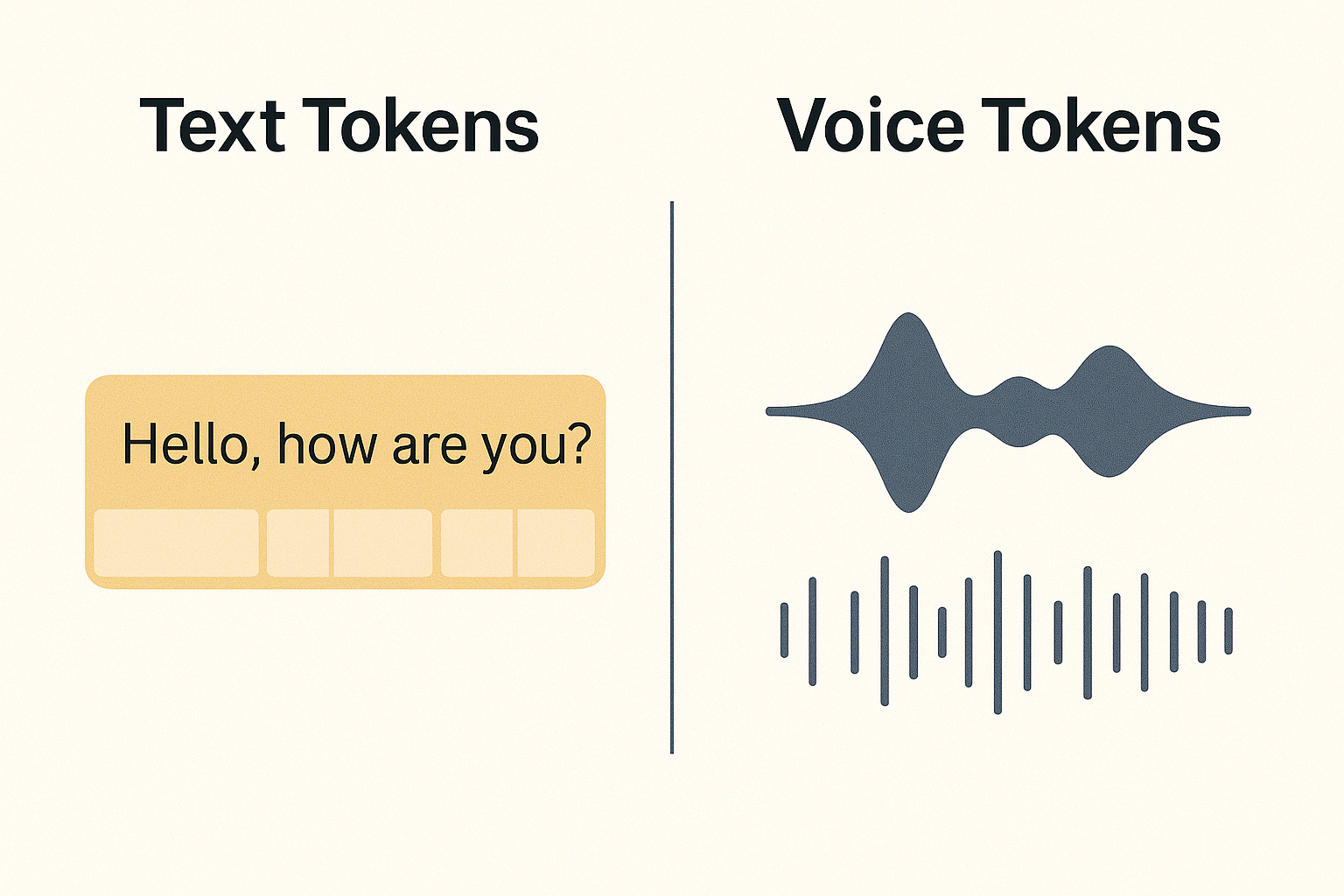
大 token 窗口非常宝贵,每多使用一个 token 都会增加延迟和成本。
对于音频,输入 token 窗口的增长速度远快于纯文本,因为必须表示振幅、时序和其他声学细节。
实际上,你经常会看到同一句话在音频中的 token 数量大约是文本的 10 倍。
* gpt-realtime 最多接受 32k tokens,随着 token 数量增加,指令遵循能力可能会下降。
* 每次用户/助手对话都会消耗 token → 窗口只会增长。
* 策略:将较早的对话总结为一条助手消息,保留最近几条逐字对话,然后继续。
3. 辅助函数
以下辅助函数将使我们能够运行完整的脚本。
3.1 会话状态
与基于 HTTP 的 Chat Completions 不同,Realtime API 维持一个开放的、有状态的会话,包含两个关键组件:
| 组件 | 用途 |
|------------|------|
| 会话 | 控制全局设置——模型、语音、模态、VAD 等。 |
| 对话 | 存储用户与助手之间逐轮的消息——包括音频和文本。 |
本笔记本将这些组件封装在一个简单的 ConversationState 对象中,以保持逻辑清晰、跟踪历史记录,并在上下文窗口填满时管理摘要。
@dataclass
class Turn:
    """One utterance in the dialogue (user **or** assistant)."""
    role: Literal["user", "assistant"]
    item_id: str                    # Server‑assigned identifier
    text: str | None = None         # Filled once transcript is ready

@dataclass
class ConversationState:
    """All mutable data the session needs — nothing more, nothing less."""
    history: List[Turn] = field(default_factory=list)         # Ordered log
    waiting: dict[str, asyncio.Future] = field(default_factory=dict)  # Pending transcript fetches
    summary_count: int = 0

    latest_tokens: int = 0          # Window size after last reply
    summarising: bool = False       # Guard so we don’t run two summaries at once
一个快速查看转录文本的辅助函数:
def print_history(state) -> None:
    """Pretty-print the running transcript so far."""
    print("—— Conversation so far ———————————————")
    for turn in state.history:
        text_preview = (turn.text or "").strip().replace("\n", " ")
        print(f"[{turn.role:<9}] {text_preview}  ({turn.item_id})")
    print("——————————————————————————————————————————")
3.2 · 流式音频
我们将原始 PCM‑16 麦克风数据直接流式传输到 Realtime API。
流程为:麦克风 ─► 异步队列 ─► WebSocket ─► Realtime API
3.2.1 捕获麦克风输入
我们将从一个协程开始,该协程:
* 以 24 kHz、单声道、PCM-16 格式打开默认麦克风(这是 Realtime 接受的格式之一)。
* 将音频流切成 约 40 毫秒 的块。
* 将每个块放入 asyncio.Queue,以便另一个任务(下一节)将其转发给 OpenAI。
async def mic_to_queue(pcm_queue: asyncio.Queue[bytes]) -> None:
    """
    Capture raw PCM‑16 microphone audio and push ~CHUNK_DURATION_MS chunks
    to *pcm_queue* until the surrounding task is cancelled.

    Parameters
    ----------
    pcm_queue : asyncio.Queue[bytes]
        Destination queue for PCM‑16 frames (little‑endian int16).
    """
    blocksize = int(SAMPLE_RATE_HZ * CHUNK_DURATION_MS / 1000)

    def _callback(indata, _frames, _time, status):
        if status:                               # XRuns, device changes, etc.
            print("⚠️", status, file=sys.stderr)
        try:
            pcm_queue.put_nowait(bytes(indata))  # 1‑shot enqueue
        except asyncio.QueueFull:
            # Drop frame if upstream (WebSocket) can’t keep up.
            pass

    # RawInputStream is synchronous; wrap in context manager to auto‑close.
    with sd.RawInputStream(
        samplerate=SAMPLE_RATE_HZ,
        blocksize=blocksize,
        dtype="int16",
        channels=1,
        callback=_callback,
    ):
        try:
            # Keep coroutine alive until cancelled by caller.
            await asyncio.Event().wait()
        finally:
            print("⏹️  Mic stream closed.")
3.2.2 将音频块发送到 API
我们的麦克风任务现在正在用原始 PCM‑16 块填充一个 asyncio.Queue。
下一步:从该队列中取出块,进行 base‑64 编码(协议要求使用 JSON 安全的文本),并将每个块作为 input_audio_buffer.append 事件发送到 Realtime WebSocket。
# Helper function to encode audio chunks in base64
b64 = lambda blob: base64.b64encode(blob).decode()

async def queue_to_websocket(pcm_queue: asyncio.Queue[bytes], ws):
    """Read audio chunks from queue and send as JSON events."""
    try:
        while (chunk := await pcm_queue.get()) is not None:
            await ws.send(json.dumps({
                "type": "input_audio_buffer.append",
                "audio": b64(chunk),
            }))
    except websockets.ConnectionClosed:
        print("WebSocket closed – stopping uploader")
3.2.3 处理传入事件
一旦音频到达服务器,Realtime API 会通过同一个 WebSocket 推送一串 JSON 事件。
理解这些事件对于以下操作至关重要:
* 打印实时转录
* 向用户播放增量音频
* 保持准确的 会话状态,以便后续进行上下文裁剪
| 事件类型 | 到达时间 | 重要性 | 典型处理逻辑 |
|------------|-----------------|---------------|-----------------------|
| session.created | WebSocket 握手后立即 | 确认会话已打开并提供 session.id。 | 记录 ID 以便追踪,并验证连接。 |
| session.updated | 在您发送 session.update 调用后 | 确认服务器已应用新的会话设置。 | 检查回显的设置并更新任何本地缓存。 |
| conversation.item.created(用户) | 用户停止说话后几毫秒(客户端 VAD 触发) | 预留时间线槽位;转录可能仍为 null。 | 在 state.history 中插入一个标记为“待处理转录”的*占位符*用户轮次。 |
| conversation.item.retrieved | 约 100–300 毫秒后,音频转录完成时 | 提供最终的用户转录(带时间信息)。 | 用转录替换占位符,并在需要时打印。 |
| response.audio.delta | 助手说话时每 20–60 毫秒 | 流式传输 PCM-16 音频块(以及可选的增量文本)。 | 缓冲每个块并播放;可选地在控制台显示部分文本。 |
| response.done | 助手最后一个 token 之后 | 表示音频和文本均已完成;包含使用统计。 | 完成助手轮次,更新 state.latest_tokens,并记录使用情况。 |
| conversation.item.deleted | 当您使用 conversation.item.delete 进行裁剪时 | 确认轮次已被移除,释放服务器上的 token。 | 在本地镜像删除操作,使您的上下文窗口与服务器保持一致。 |
3.3 检测何时需要总结
Realtime 模型保持一个较大的 32k token 窗口,但随着你向模型塞入更多上下文,质量可能在远未达到该限制之前就开始下降。
我们的目标:自动总结,一旦运行中的窗口接近安全阈值(笔记本中默认为 2,000 tokens),就在本地*和*服务器端修剪被取代的轮次。
我们监控 response.done 返回的 latest_tokens。当它超过 SUMMARY_TRIGGER 并且我们有多于 KEEP_LAST_TURNS 的轮次时,我们启动一个后台总结协程。
我们将除最后 2 轮之外的所有内容压缩成一个法语段落,然后:
- 将该段落作为新的助手消息插入对话顶部。
- 删除用于总结的消息项。
稍后我们会询问语音代理总结所用的语言,以测试将总结插入 Realtime API 对话上下文是否成功。
async def run_summary_llm(text: str) -> str:
    """Call a lightweight model to summarise `text`."""
    resp = await asyncio.to_thread(lambda: openai.chat.completions.create(
        model=SUMMARY_MODEL,
        temperature=0,
        messages=[
            {"role": "system", "content": "Summarise in French the following conversation "
                            "in one concise paragraph so it can be used as "
                            "context for future dialogue."},
            {"role": "user", "content": text},
        ],
    ))
    return resp.choices[0].message.content.strip()
重要的实现细节:
- 摘要作为 SYSTEM 消息而非 ASSISTANT 消息附加。测试表明,在长时间对话中,使用 ASSISTANT 消息进行摘要可能导致模型错误地从音频响应切换到文本响应。通过使用 SYSTEM 消息进行摘要(其中还可以包含额外的自定义指令),我们向模型明确表明这些是设置上下文的指令,防止其错误地采用正在进行的用户-助手交互的模式。
async def summarise_and_prune(ws, state):
    """Summarise old turns, delete them server‑side, and prepend a single summary
    turn locally + remotely."""
    state.summarising = True
    print(
        f"⚠️  Token window ≈{state.latest_tokens} ≥ {SUMMARY_TRIGGER}. Summarising…",
    )
    old_turns, recent_turns = state.history[:-KEEP_LAST_TURNS], state.history[-KEEP_LAST_TURNS:]
    convo_text = "\n".join(f"{t.role}: {t.text}" for t in old_turns if t.text)

    if not convo_text:
        print("Nothing to summarise (transcripts still pending).")
        state.summarising = False

    summary_text = await run_summary_llm(convo_text) if convo_text else ""
    state.summary_count += 1
    summary_id = f"sum_{state.summary_count:03d}"
    state.history[:] = [Turn("assistant", summary_id, summary_text)] + recent_turns

    print_history(state)

    # Create summary on server
    await ws.send(json.dumps({
        "type": "conversation.item.create",
        "previous_item_id": "root",
        "item": {
            "id": summary_id,
            "type": "message",
            "role": "system",
            "content": [{"type": "input_text", "text": summary_text}],
        },
    }))

    # Delete old items
    for turn in old_turns:
        await ws.send(json.dumps({
            "type": "conversation.item.delete",
            "item_id": turn.item_id,
        }))

    print(f"✅ Summary inserted ({summary_id})")

    state.summarising = False
下面的函数让我们可以随时间轮询获取转录结果。这在用户的音频尚未立即转录的情况下非常有用,这样我们可以稍后检索最终结果。
async def fetch_full_item(
    ws, item_id: str, state: ConversationState, attempts: int = 1
):
    """
    Ask the server for a full conversation item; retry up to 5× if the
    transcript field is still null.  Resolve the waiting future when done.
    """
    # If there is already a pending fetch, just await it
    if item_id in state.waiting:
        return await state.waiting[item_id]

    fut = asyncio.get_running_loop().create_future()
    state.waiting[item_id] = fut

    await ws.send(json.dumps({
        "type": "conversation.item.retrieve",
        "item_id": item_id,
    }))
    item = await fut

    # If transcript still missing retry (max 5×)
    if attempts < 5 and not item.get("content", [{}])[0].get("transcript"):
        await asyncio.sleep(0.4 * attempts)
        return await fetch_full_item(ws, item_id, state, attempts + 1)

    # Done – remove the marker
    state.waiting.pop(item_id, None)
    return item
4. 端到端工作流演示
运行以下两个单元格以启动交互式会话。中断单元格以停止记录。
注意:
本笔记本使用SUMMARY_TRIGGER = 2000和KEEP_LAST_TURNS = 2来使摘要功能更容易快速演示。
在生产环境中,您应根据应用程序的需求调整这些值。
- 典型的 SUMMARY_TRIGGER 介于 20,000–32,000 个 token 之间,具体取决于您的用例中上下文增大时性能下降的程度。
# Audio/config knobs
SAMPLE_RATE_HZ    = 24_000   # Required by pcm16
CHUNK_DURATION_MS = 40       # chunk size for audio capture
BYTES_PER_SAMPLE  = 2        # pcm16 = 2 bytes/sample
SUMMARY_TRIGGER   = 2_000    # Summarise when context ≥ this
KEEP_LAST_TURNS   = 2       # Keep these turns verbatim
SUMMARY_MODEL     = "gpt-4o-mini"  # Cheaper, fast summariser
# --------------------------------------------------------------------------- #
# Realtime session                                                          #
# --------------------------------------------------------------------------- #
async def realtime_session(model="gpt-realtime", voice="shimmer", enable_playback=True):
    """
    Main coroutine: connects to the Realtime endpoint, spawns helper tasks,
    and processes incoming events in a big async‑for loop.
    """
    state = ConversationState()  # Reset state for each run

    pcm_queue: asyncio.Queue[bytes] = asyncio.Queue()
    assistant_audio: List[bytes] = []

    # ----------------------------------------------------------------------- #
    # Open the WebSocket connection to the Realtime API                       #
    # ----------------------------------------------------------------------- #
    url = f"wss://api.openai.com/v1/realtime?model={model}"
    headers = {"Authorization": f"Bearer {openai.api_key}"}

    async with websockets.connect(url, extra_headers=headers, max_size=1 << 24) as ws:
        # ------------------------------------------------------------------- #
        # Wait until server sends session.created                             #
        # ------------------------------------------------------------------- #
        while json.loads(await ws.recv())["type"] != "session.created":
            pass
        print("session.created ✅")

        # ------------------------------------------------------------------- #
        # Configure session: voice, modalities, audio formats, transcription  #
        # ------------------------------------------------------------------- #
        await ws.send(json.dumps({
            "type": "session.update",
            "session": {
                "type": "realtime",
                model: "gpt-realtime",
                "voice": voice,
                "modalities": ["audio", "text"],
                "input_audio_format": "pcm16",
                "output_audio_format": "pcm16",
                "input_audio_transcription": {"model": "gpt-4o-transcribe"},
            },
        }))

        # ------------------------------------------------------------------- #
        # Launch background tasks: mic capture → queue → websocket            #
        # ------------------------------------------------------------------- #
        mic_task = asyncio.create_task(mic_to_queue(pcm_queue))
        upl_task = asyncio.create_task(queue_to_websocket(pcm_queue, ws))

        print("🎙️ Speak now (Ctrl‑C to quit)…")

        try:
            # ------------------------------------------------------------------- #
            # Main event loop: process incoming events from the websocket         #
            # ------------------------------------------------------------------- #
            async for event_raw in ws:
                event = json.loads(event_raw)
                etype = event["type"]

                # --------------------------------------------------------------- #
                # User just spoke ⇢ conversation.item.created (role = user)        #
                # --------------------------------------------------------------- #
                if etype == "conversation.item.created" and event["item"]["role"] == "user":
                    item = event["item"]
                    text = None
                    if item["content"]:
                        text = item["content"][0].get("transcript")

                    state.history.append(Turn("user", event["item"]["id"], text))

                    # If transcript not yet available, fetch it later
                    if text is None:
                        asyncio.create_task(fetch_full_item(ws, item["id"], state))

                # --------------------------------------------------------------- #
                # Transcript fetched ⇢ conversation.item.retrieved                 #
                # --------------------------------------------------------------- #
                elif etype == "conversation.item.retrieved":
                    content = event["item"]["content"][0]
                    # Fill missing transcript in history
                    for t in state.history:
                        if t.item_id == event["item"]["id"]:
                            t.text = content.get("transcript")
                            break

                # --------------------------------------------------------------- #
                # Assistant audio arrives in deltas                               #
                # --------------------------------------------------------------- #
                elif etype == "response.audio.delta":
                    assistant_audio.append(base64.b64decode(event["delta"]))

                # --------------------------------------------------------------- #
                # Assistant reply finished ⇢ response.done                        #
                # --------------------------------------------------------------- #
                elif etype == "response.done":
                    for item in event["response"]["output"]:
                        if item["role"] == "assistant":
                            txt = item["content"][0]["transcript"]
                            state.history.append(Turn("assistant", item["id"], txt))
                            # print(f"\n🤖 {txt}\n")
                    state.latest_tokens = event["response"]["usage"]["total_tokens"]
                    print(f"—— response.done  (window ≈{state.latest_tokens} tokens) ——")
                    print_history(state)

                    # Fetch any still‑missing user transcripts
                    for turn in state.history:
                        if (turn.role == "user"
                            and turn.text is None
                            and turn.item_id not in state.waiting):
                            asyncio.create_task(
                                fetch_full_item(ws, turn.item_id, state)
                            )

                    # Playback collected audio once reply completes
                    if enable_playback and assistant_audio:
                        simpleaudio.play_buffer(b"".join(assistant_audio), 1, BYTES_PER_SAMPLE, SAMPLE_RATE_HZ)
                        assistant_audio.clear()

                    # Summarise if context too large – fire in background so we don't block dialogue
                    if state.latest_tokens >= SUMMARY_TRIGGER and len(state.history) > KEEP_LAST_TURNS and not state.summarising:
                        asyncio.create_task(summarise_and_prune(ws, state))

        except KeyboardInterrupt:
            print("\nStopping…")
        finally:
            mic_task.cancel()
            await pcm_queue.put(None)
            await upl_task
# Run the realtime session (this cell blocks until you stop it)
await realtime_session()
session.created ✅
🎙️ Speak now (Ctrl‑C to quit)…
—— response.done  (window ≈979 tokens) ——
—— Conversation so far ———————————————
[user     ] Can you tell me a quick story?  (item_BTuMOcpUqp8qknKhLzlkA)
[assistant] Once upon a time, in a cozy little village, there was a cat named Whiskers who was always getting into trouble. One sunny day, Whiskers found a mysterious glowing stone in the garden. Curious, he pawed at it, and poof! The stone granted him the ability to talk to birds. Whiskers and his new bird friends had grand adventures, solving mysteries and exploring the village. And from that day on, Whiskers was known as the most adventurous cat in the village. The end.  (item_BTuMPRWxqpv0ph6QM46DK)
——————————————————————————————————————————
—— response.done  (window ≈2755 tokens) ——
—— Conversation so far ———————————————
[user     ] Can you tell me a quick story?  (item_BTuMOcpUqp8qknKhLzlkA)
[assistant] Once upon a time, in a cozy little village, there was a cat named Whiskers who was always getting into trouble. One sunny day, Whiskers found a mysterious glowing stone in the garden. Curious, he pawed at it, and poof! The stone granted him the ability to talk to birds. Whiskers and his new bird friends had grand adventures, solving mysteries and exploring the village. And from that day on, Whiskers was known as the most adventurous cat in the village. The end.  (item_BTuMPRWxqpv0ph6QM46DK)
[user     ] Can you tell me three extremely funny stories?  (item_BTuNN64LdULM21OyC4vzN)
[assistant] Sure, let's dive into some giggle-worthy tales:  **Story One:** There was a forgetful baker named Benny who baked a hundred cakes for a big wedding. But on the big day, he forgot where he put them! The entire town joined in to find the missing cakes, only to discover Benny had stored them in his neighbor's garage, thinking it was his pantry. The wedding turned into a town-wide cake feast!  **Story Two:** A mischievous dog named Sparky loved to play pranks. One day, he swapped his owner's phone with a squeaky toy, causing a hilarious mix-up of barks, squeaks, and confused calls. Sparky's owner ended up having a full conversation with the mailman, all in squeaks!  **Story Three:** In a small town, a parrot named Polly became a local celebrity for reciting tongue twisters. One day, Polly challenged the mayor to a tongue twister duel. The mayor, tongue-tied and laughing, declared Polly the official town jester. Polly squawked with pride, and the town rang with laughter for days.  (item_BTuNNpNxki5ynSQ5c3Xsa)
——————————————————————————————————————————
⚠️  Token window ≈2755 ≥ 2000. Summarising…
—— Conversation so far ———————————————
[assistant] L'utilisateur a demandé une histoire rapide, et l'assistant a raconté celle d'un chat nommé Whiskers qui, après avoir trouvé une pierre mystérieuse dans son jardin, a obtenu le pouvoir de parler aux oiseaux. Avec ses nouveaux amis oiseaux, Whiskers a vécu de grandes aventures, résolvant des mystères et explorant le village, devenant ainsi le chat le plus aventurier du village.  (sum_001)
[user     ] Can you tell me three extremely funny stories?  (item_BTuNN64LdULM21OyC4vzN)
[assistant] Sure, let's dive into some giggle-worthy tales:  **Story One:** There was a forgetful baker named Benny who baked a hundred cakes for a big wedding. But on the big day, he forgot where he put them! The entire town joined in to find the missing cakes, only to discover Benny had stored them in his neighbor's garage, thinking it was his pantry. The wedding turned into a town-wide cake feast!  **Story Two:** A mischievous dog named Sparky loved to play pranks. One day, he swapped his owner's phone with a squeaky toy, causing a hilarious mix-up of barks, squeaks, and confused calls. Sparky's owner ended up having a full conversation with the mailman, all in squeaks!  **Story Three:** In a small town, a parrot named Polly became a local celebrity for reciting tongue twisters. One day, Polly challenged the mayor to a tongue twister duel. The mayor, tongue-tied and laughing, declared Polly the official town jester. Polly squawked with pride, and the town rang with laughter for days.  (item_BTuNNpNxki5ynSQ5c3Xsa)
——————————————————————————————————————————
✅ Summary inserted (sum_001)
—— response.done  (window ≈2147 tokens) ——
—— Conversation so far ———————————————
[assistant] L'utilisateur a demandé une histoire rapide, et l'assistant a raconté celle d'un chat nommé Whiskers qui, après avoir trouvé une pierre mystérieuse dans son jardin, a obtenu le pouvoir de parler aux oiseaux. Avec ses nouveaux amis oiseaux, Whiskers a vécu de grandes aventures, résolvant des mystères et explorant le village, devenant ainsi le chat le plus aventurier du village.  (sum_001)
[user     ] Can you tell me three extremely funny stories?  (item_BTuNN64LdULM21OyC4vzN)
[assistant] Sure, let's dive into some giggle-worthy tales:  **Story One:** There was a forgetful baker named Benny who baked a hundred cakes for a big wedding. But on the big day, he forgot where he put them! The entire town joined in to find the missing cakes, only to discover Benny had stored them in his neighbor's garage, thinking it was his pantry. The wedding turned into a town-wide cake feast!  **Story Two:** A mischievous dog named Sparky loved to play pranks. One day, he swapped his owner's phone with a squeaky toy, causing a hilarious mix-up of barks, squeaks, and confused calls. Sparky's owner ended up having a full conversation with the mailman, all in squeaks!  **Story Three:** In a small town, a parrot named Polly became a local celebrity for reciting tongue twisters. One day, Polly challenged the mayor to a tongue twister duel. The mayor, tongue-tied and laughing, declared Polly the official town jester. Polly squawked with pride, and the town rang with laughter for days.  (item_BTuNNpNxki5ynSQ5c3Xsa)
[user     ]   (item_BTuPLaCv8ATdIwAQ2rLgO)
[assistant] Sure! The first summary I provided between us was in French.  (item_BTuPLa7BaSQToGCVOmfBK)
我们与语音 AI 进行了一次对话。经过几轮交流后,总 token 数达到了 SUMMARY_MAX,触发了对话摘要步骤。这会生成对较早消息的摘要。
由于总消息数为 N = 4,我们总结了前 N - 2 = 2 条消息:
—— Conversation so far ———————————————
[user     ] Can you tell me a quick story?  (item_BTuMOcpUqp8qknKhLzlkA)
[assistant] Once upon a time, in a cozy little village, there was a cat named Whiskers who was always getting into trouble. One sunny day, Whiskers found a mysterious glowing stone in the garden. Curious, he pawed at it, and poof! The stone granted him the ability to talk to birds. Whiskers and his new bird friends had grand adventures, solving mysteries and exploring the village. And from that day on, Whiskers was known as the most adventurous cat in the village. The end.  (item_BTuMPRWxqpv0ph6QM46DK)
然后,我们创建了一份法语摘要,并使用 root: true 标志将其插入到对话历史中。这确保了摘要作为对话中的第一条消息出现。之后,我们使用 "type": "conversation.item.delete" 删除了被摘要化的原始项目。
为了验证摘要插入是否成功,我们询问语音 AI 摘要使用的是哪种语言。它正确回答:
[assistant] Sure! The first summary I provided between us was in French. (item_BTuPLa7BaSQToGCVOmfBK)
5 · 实际应用
上下文摘要对于长时间运行的语音体验非常有用。
以下是一些用例想法:
| 用例 | 附加价值 | 为什么有用 |
|----------|-------------|------------|
| 客户支持语音机器人 | 24/7 自然电话树;自动生成工单摘要 | 总结冗长的客户通话,以便高效交接和记录,减少客服工作量并提高响应质量。 |
| 语言导师 | 实时对话练习,提供纠正性反馈 | 帮助跟踪学习者进度并突出常见错误,实现个性化反馈和更有效的语言习得。 |
| AI 治疗师/教练 | 安全、随时可用的倾听者,能记住会话 | 通过回忆关键主题和情绪基调来保持跨会话的连续性,支持更具同理心和更有效的体验。 |
| 会议助手 | 实时转录 + 在 Slack 中生成简洁的行动项摘要 | 将冗长会议提炼为可操作的摘要,节省团队成员时间,确保不遗漏重要内容。 |
6 · 后续步骤与延伸阅读
尝试运行笔记本,并尝试将上下文摘要集成到你的应用程序中。
你可以尝试以下几件事:
| 尝试这个… | 你将学到什么 |
|-----------|--------------|
| A/B 测试摘要<br/>分别运行开启和关闭摘要的评估套件。 | 修剪是否真的能提高你所在领域的质量——以及它如何影响延迟和成本。 |
| 更换摘要风格<br/>将系统提示改为项目符号、JSON、英语与法语等。 | 下游助手最能吸收哪种格式;语言选择如何影响后续回答。 |
| 调整阈值<br/>尝试不同的 SUMMARY_TRIGGER_TOKENS(2 k → 8 k)。 | 模型漂移与摘要开销之间的最佳平衡点。 |
| 成本追踪<br/>记录摘要前后的 usage.total_tokens。 | 具体投资回报率:每小时对话节省的令牌数。 |
资源:
常见问题
常见错误:1) 麦克风权限未授予,导致音频捕获失败,需检查系统权限。2) WebSocket连接失败,检查API密钥和网络。3) 转录延迟,使用fetch_full_item轮询重试。4) 摘要触发频繁,调整SUMMARY_TRIGGER和KEEP_LAST_TURNS。5) 音频播放异常,确认simpleaudio支持格式。排查方法:打印事件日志,监控token使用量,使用print_history查看对话状态。生产优化:使用异步处理避免阻塞,增加错误重试机制,考虑使用更高效的摘要模型。
企业应用扩展
可扩展方向:1) 多语言支持,调整摘要语言和提示词。2) 集成到客服系统,自动生成工单摘要。3) 结合知识库,提供更精准的上下文。4) 优化摘要策略,如按主题分段摘要。5) 增加用户身份识别,个性化对话。6) 部署为微服务,通过API调用。7) 监控和日志系统,追踪性能指标。8) 使用缓存机制减少重复计算。
总结
本教程指导开发者使用OpenAI Realtime API构建支持上下文摘要的实时语音机器人。通过WebSocket实现麦克风流式传输、实时转录与语音播放,并利用会话状态容器管理对话历史。当令牌窗口超过阈值时,自动将早期对话压缩为摘要,保持长对话质量。涵盖核心原理、架构设计、代码实现、实践步骤及生产优化建议。
- --
内容来源与验证
- 内容等级:PREMIUM_A
- 质量等级:A
- 难度:中级
- 验证等级:V1
- 原文作者:minh-hoque
- 原文日期:2025-05-10
- 来源许可:MIT
- 来源版本:
fce69482bd825673019859faff5cc09165c0189f - 查看原文
站内还有更多完整实战教程
加入会员,解锁全部教程、完整代码与持续更新内容。
加入会员